
How Should I Charge and Store a Helmet Bluetooth Headset?

How Should I Charge and Store a Helmet Bluetooth Headset?
Charge a helmet headset with its USB cable in a cool, dry place, keep the charging port closed and dry, and store it partially charged rather than fully drained or baking in a hot car. Heat and moisture are the two things that shorten battery life fastest.
Use the included USB cable, charge at room temperature, and never charge a wet headset. Store it in a cool dry place with the battery partially charged, and keep it out of hot helmets, cars, and direct sun.
This guide uses Apple's battery guidance for lithium-ion care, which explains why heat and long low-charge storage reduce battery lifespan, and the official OHMIEX C1 product page for the device's listed features. Charging times and exact battery capacity vary by model and should be checked against the manual.
Charging Basics That Protect the Battery
Most helmet headsets charge through a USB port, and the OHMIEX C1 page lists USB charging. Use the cable that came with the headset or a quality equivalent, plug into a normal USB charger, and charge at room temperature. Lithium-ion batteries live longest when they are not pushed to extremes of heat, cold, or full drain.
Two habits matter most: do not charge in direct sun or inside a hot car, and do not leave the headset dead for weeks. Apple's battery guidance says to avoid charging or leaving devices in hot environments for extended periods, and notes that long storage at a very low charge is hard on a lithium-ion battery.
Charge the headset the night before a ride, unplug it when the indicator shows full, and store it somewhere cooler than your tank bag in July.
Representative Rider Scenario: Ada - The Tank Bag Battery. Ada kept her headset mounted in her helmet, which stayed in the tank bag during summer workdays. By August the battery barely lasted one commute. She started taking the headset inside, charging it at night, and the runtime returned to normal within a few weeks.
Water and Charging Ports
Rain rides are normal, and a headset with a weather rating is built to handle them, but weather resistance is not a license to charge a wet device. The OHMIEX C1 page lists an IP67 waterproof rating; check the current page for your model and keep the charging port cover closed. After a wet ride, let the headset dry before you charge it, and dry the port with a soft cloth.
If the headset fell into water or the port shows corrosion, do not plug it in to test. Contact support instead.
Cables matter too. A frayed USB cable can charge slowly, interrupt a charge, or deliver unstable power. Coil the cable loosely when you pack it, and replace it if the connector bends or the outer jacket splits. The port on the headset is easier to keep clean than it is to repair.
How to Store a Headset Between Rides
- Store it in a cool, dry place, not in a helmet bag left in a hot garage.
- Keep the battery partially charged, not at 0% or sitting on the charger at 100% for weeks.
- Remove the headset from the helmet when the helmet will bake in a car or under direct sun.
- Keep the charging port closed and the cables coiled loosely.
- For winter or long breaks, charge to a partial level, power the device off, and check it every month.
Helmets get far hotter than the air around them when parked in the sun. A black shell can easily reach temperatures that are bad for a battery, so the quickest battery-saver on a summer trip is taking the headset inside with you.
Signs the Battery Needs Attention
Batteries age, and a headset that used to last a week of commutes and now dies mid-ride is telling you something. If runtime drops sharply, the device takes much longer to charge, or the case feels swollen or hot, stop using it and contact support. Swelling is a stop-using condition, not a "see how it goes" condition.
Keep a simple log if the problem is gradual: note the charge level before a ride and the remaining level after. Two data points across a week show whether the drain is a battery problem or a pairing problem, which changes the fix completely.
How This Applies When Choosing
The care routine above applies to any headset, so the buying question is whether the maker documents charging, weather resistance, and support clearly. A product page that lists USB charging and a weather rating gives you a baseline to compare against.
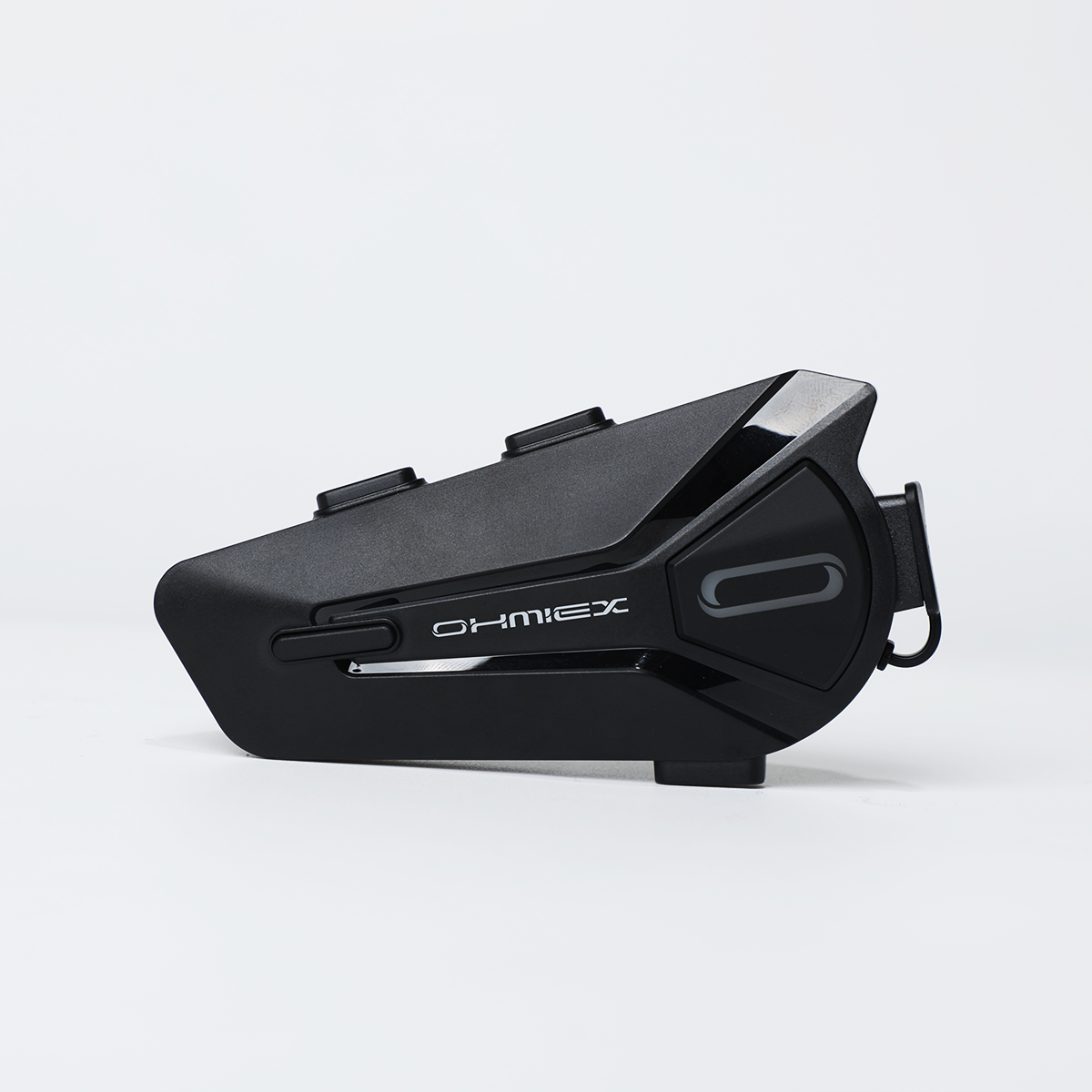
USB Charging in a Weather-Resistant Body
The OHMIEX C1 page lists Bluetooth 5.3, IP67 waterproofing, and USB charging. Use the official page for current charging details, and follow the included manual for the exact indicator lights and charge time.
View current OHMIEX C1 detailsCommon Questions About Charging and Storing Helmet Headsets
How long does a helmet bluetooth headset take to charge?
Charge time depends on the model and charger. Check the manual or official product page rather than relying on a generic number.
Can I charge a headset in the rain?
No. Let a wet headset dry and dry the port before charging, even if the device has a weather rating.
Can I leave my headset charging overnight?
It is safer to unplug it when full. Avoid charging in hot places or leaving it on the charger for weeks.
How should I store a headset for winter?
Partially charge the battery, turn the device off, keep it cool and dry, and check the charge monthly.
Why does my headset battery drain fast when stored?
Storing at very low or very high charge, or in heat, ages lithium-ion batteries faster and causes faster drain.
Can I charge with any USB cable?
Use the included cable or a quality equivalent. A damaged or mismatched cable can charge slowly or inconsistently.
Is it safe to keep the headset mounted in a hot helmet?
Heat shortens battery life. In summer, remove the headset when the helmet will sit in the sun or a hot car.
How do I know when the battery needs replacing?
Watch for a sharp drop in runtime, slow charging, or a swollen or hot case. Swelling means stop using it and contact support.
Final Notes
Heat, moisture, and extreme charge levels are the enemies. Charge at room temperature, keep the port dry, and store the headset partially charged in a cool place. A little routine keeps a headset alive through the seasons.