
Why Does My Helmet Bluetooth Volume Change by Itself?

Why Does My Helmet Bluetooth Volume Change by Itself?
Helmet Bluetooth volume can change because a navigation prompt lowers other audio, the phone applies a listening limit or a control receives an unintended press. Identify when the change happens and whether the phone's volume indicator moves before changing settings or buying a replacement.
A brief dip during directions differs from a lower level after reconnecting or an unexplained button command. Reproduce the event while parked with one audio sample, watch the phone's indicator and add extra devices only after the simple connection works.
We used Android audio-focus documentation and Apple’s headphone-level guidance to check phone-side explanations, and the official C1 listing for accessory context. We haven't measured in-helmet sound levels or tested C1 firmware volume behavior; the comparisons below help isolate a trigger.
The Timing Is More Useful Than the Volume Number
Start by watching what happens just before the change. Does music dip for one direction and recover? Does the phone's volume bar move? Is the change there immediately after reconnecting, or only after you put the helmet on?
Those aren't interchangeable symptoms. A quieter passage in a song, an app lowering another app's audio and a physical volume command can sound similar inside a helmet. Use the same short audio sample to remove one of those variables.
Park with the engine off and choose a comfortable starting level. Put the phone where you can see its screen, then reproduce the event once. Don't turn everything up while you're waiting for the sound to return; that can make the return unexpectedly loud.
| When the change happens | Useful distinction | Parked comparison |
|---|---|---|
| During a direction or notification | Temporary audio priority versus a new saved level | Check recovery after the prompt |
| Immediately after reconnecting | Phone-side limit or recalled level | Observe the phone setting before and after |
| When a glove or collar reaches the unit | Possible unintended control input | Repeat without contact |
| When you switch music apps | App or recording difference | Use the same sample in one app |
| Only while wearing the helmet | Perceived loudness versus a control change | Check speaker position and volume bar |
A Short Music Dip Can Be Expected Audio Behavior
Android’s audio-focus documentation explains that apps can pause or lower audio when another app needs to be heard. Under the documented automatic-ducking conditions, music is reduced during the other app's audio and restored afterward. A navigation prompt is a useful example of why this behavior exists.
Say your music dips at each turn instruction and returns as soon as the instruction ends. Reproduce that with one phone, one headset and no display in between. A consistent dip-and-return pattern points toward audio priority rather than an intermittent speaker connection.
If the music stays reduced after the prompt, stop the route and replay your sample. Then restart only the affected apps and compare. A change isolated to one app combination is worth reporting with those app versions; it doesn't by itself identify a broken headset.
Use your model's instructions to check for any optional automatic-volume control.
Check iPhone Headphone Safety When Reconnection Lowers Sound
Apple's headphone audio-level guide says a headphone notification can cause the next wired or Bluetooth connection to start at a lower volume. Its Headphone Safety settings also include a control that reduces audio above your chosen level. Those are phone-side behaviors, not evidence of a headset's volume button failing.
If your problem starts after reconnecting, check the phone's current setting and whether it recorded a headphone notification. Treat that as information about the change, not an instruction to disable the protection. Labels and availability differ by system version and region.
Apple also says measurements are most accurate with Apple or Beats headphones; other headphone levels can be estimated from the phone's volume. Don't treat that estimate as a calibrated reading inside your helmet.
We'd keep the listening level comfortable and investigate intelligibility separately. If speech is hard to understand, review speaker alignment and competing audio rather than compensating with a higher volume ceiling.
See Whether the Controls Agree Before Assuming a Fault
Make one small volume change on the headset while your sample plays and watch the phone. Then make a small change on the phone and listen. You're checking whether the two controls behave as linked controls in your supported setup, not forcing them to match a universal percentage.
Different phone-headset combinations don't all display or remember volume in the same way. If one control moves the other, record that behavior. If it doesn't, set both to comfortable levels and compare after a single reconnect. Follow the manufacturer's instructions for any separate music, call or intercom level.
Record how your controls respond first, then check the official instructions for that phone-headset combination before changing their behavior.
Also compare the same app before and after an interruption. Changing from music to a call is a change of task; a different loudness there doesn't prove the music setting has been rewritten.
Rule Out Contact With the Unit, Then Check the Installed Fit
Say the level changes when you pull a high jacket collar into place. Repeat that motion while parked and watch whether fabric touches the control unit. Keep gloves away for the first sample, then compare the ordinary motion that causes the symptom.
If contact reproduces a command, adjust only within the approved mounting positions. Don't cover controls with tape or move the unit where it blocks the visor or interferes with helmet fit. A sticky or damaged button needs support advice rather than repeated force.
If the phone's setting stays still and you only notice a difference after wearing the helmet, check whether a speaker shifted or your ear folded. Use the helmet off and on as a comparison at the same level. An acoustic change can feel like a volume change without any command being sent.
Leave the impact liner intact. If the audio hardware won't fit without pressure or structural modification, that combination needs a different approved installation or different equipment.
Build a Small Reproduction That You Can Explain
- Play the same short sample in one app at a comfortable level with the engine off.
- Watch the phone’s volume indicator and note whether it moves when the sound changes.
- Try the triggering event once: a navigation prompt, reconnect or collar movement.
- Repeat without the suspected trigger and compare the result.
- Add your display or second audio device only after the simple supported connection is understood.
If a saved level changes after every connection, note the displayed setting on each side of the reconnect. If sound changes only with a particular app, record the app combination. If touching the unit causes jumps, photograph the mounting position without opening it.
These results help you choose whom to contact. Phone-side limits belong with phone settings; a persistent app interruption belongs with that app; unwanted commands from an untouched control unit deserve headset support.
When Is Replacement Worth Considering?
We wouldn't replace a headset for a brief music dip that reliably makes a direction audible and then recovers. That's different from uncontrolled jumps during an uninterrupted sample with the controls untouched.
If you can borrow another compatible phone, repeat the simple supported connection without the extra devices. A symptom that follows one phone sends you toward its settings or software. The same uncontrolled change on both phones is stronger information for headset support, though it still doesn't identify a specific failed component.
Before paying for new equipment, ask whether support can inspect the control behavior or provide a documented setting for your combination. A replacement bought without understanding the trigger can reproduce the same phone-side problem.
How This Applies to an OHMIEX C1
For a C1, keep a note of the triggering event and ask support about the supported volume behavior with your phone. Check the actual control instructions rather than assuming separate audio levels or automatic volume features are available.
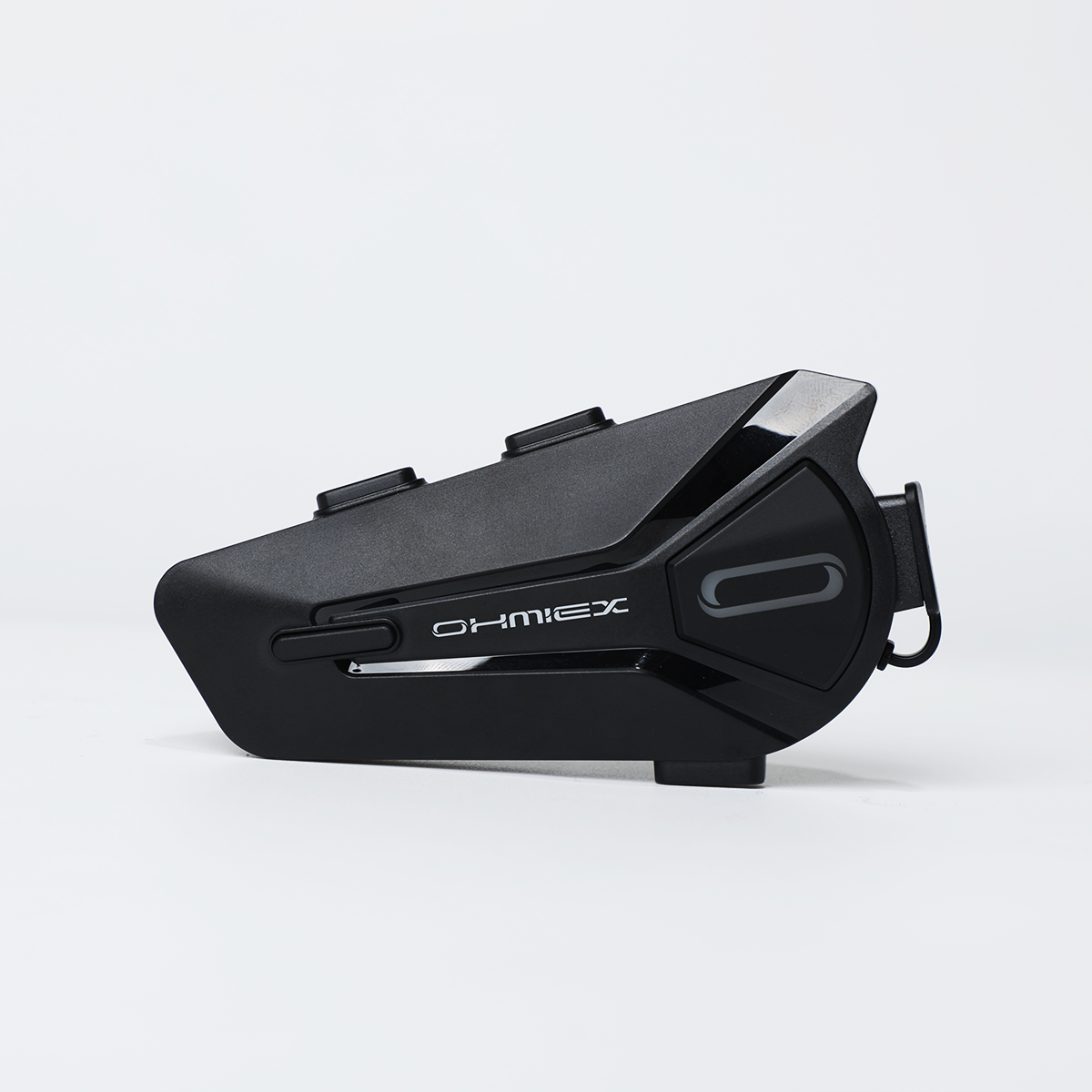
OHMIEX C1 Motorcycle Bluetooth Headset
Before choosing the C1, ask support whether your phone supports the connection and volume controls you expect to use. Confirm an approved mounting position that keeps the buttons clear.
View OHMIEX C1 Motorcycle Bluetooth HeadsetCommon Questions
Is music getting quieter during GPS directions a fault?
Not necessarily. Android documents temporary audio ducking so another app can be heard. Check whether music reliably returns afterward before treating the dip as a hardware problem.
Why is my headset quieter after I reconnect my iPhone?
Check the phone's headphone notification history and Headphone Safety settings. Apple describes a lower level on the next connection after a notification, so the headset may not be issuing the change.
Should my phone and headset show identical volume percentages?
Don't assume they should. Observe how the controls respond in your supported combination and follow its instructions; a display percentage isn't an in-helmet sound measurement.
Can a jacket collar press my headset buttons?
Check for contact while parked. If an ordinary collar movement reproduces the change, review the approved mounting position and keep the controls clear.
Should I disable volume limits to hear directions better?
We wouldn't use that as the first troubleshooting step. Compare prompt routing, speaker alignment and competing audio at a comfortable level before changing listening limits.
What should I record for headset support?
Record the triggering event, whether the phone's volume indicator moved, the apps involved and the result with another compatible phone if available. Include whether the controls were untouched.
Final Notes
Use one sample and one trigger to identify the pattern. Keep expected prompt dips separate from persistent level changes, then send the reproducible result to the relevant support team. Make all adjustments parked, and keep the final listening level comfortable.