
Why Does My Helmet Bluetooth Have Sound in Only One Ear?

Why Does My Helmet Bluetooth Have Sound in Only One Ear?
If your helmet Bluetooth has sound in only one ear, check phone balance and compare both installed speakers with the helmet off before changing the installation. A side that plays outside the helmet but sounds quiet when worn needs a different check from a speaker that stays silent with a second phone too.
Use one familiar recording at low volume while parked. Center audio balance, compare the speakers without wearing the helmet, and try another compatible phone if available. Inspect only manufacturer-approved accessible wiring; stop before cutting foam or opening the unit.
The phone-setting checks draw on Apple guidance, and the helmet-modification limits follow NHTSA advice. The OHMIEX C1 listing provides accessory context, without establishing its connector layout or a specific repair procedure. This is a diagnostic sequence rather than a bench test of the C1; source information was reviewed on October 9, 2026.
Silent on One Side, or Just Quieter?
When your helmet Bluetooth has sound in only one ear, begin with a quiet, parked check. Turn the engine off and use a modest volume. Trying to diagnose the difference against road noise makes a quiet speaker harder to distinguish from a silent one.
Use a recording known to contain the same speech on both channels, or turn on your phone's Mono Audio option before testing. Listen for the same words on both sides. If you can't confirm matching content, don't use one silent section as evidence that a speaker has failed. Don't jump between songs, calls, and an intercom session during the first comparison. Changing the source each time makes it harder to know which change affected the result.
| What you notice | First comparison | Next direction |
|---|---|---|
| One speaker stays silent with the helmet off | Center phone balance; use the same content on both sides | Check another phone if available, then the audio hardware |
| Both speakers play, but one sounds quieter when worn | Compare the same installed speakers without wearing the helmet | Check alignment and pad seating |
| The difference appears in one app or recording | Play another familiar spoken track | Investigate the source or app before changing the install |
| A side cuts out after the liner was refitted | Inspect the visible wire route with power off | Follow the manual or ask support about trapped or damaged wires |
Write down which side fails and whether it fails with the helmet off. That one observation determines whether the next check should be a setting, an installation detail, or a support request.
Center the Phone’s Left–Right Balance
A phone can send uneven levels to the left and right channels. On iPhone, Apple documents stereo balance and mono audio under Settings, Accessibility, Audio & Visual. Check that the Balance slider is centered before touching anything inside the helmet.
For this comparison, temporarily enable Mono Audio if your phone offers it. Apple describes this as sending the same content to the left and right speakers. It helps remove differences in the recording from the test; it doesn't repair a speaker or cable. Return the setting to your preference afterwards.
Android menus differ by manufacturer and software version. Look up your phone maker's current audio-accessibility instructions if you need to find the equivalent control. Don't assume an iPhone menu path exists on your phone.
Say you previously changed audio balance for a different pair of headphones. Before deciding a helmet speaker has failed, inspect that setting again. A slider well to one side is something you can correct and retest without disturbing a single wire.
Compare the Installed Speakers With the Helmet Off
Keep the speakers installed and remove the helmet from your head. In a quiet room, compare each speaker using the same short recording at low volume. If practical, listen with the same ear and keep roughly the same ear-to-speaker distance on each side. Move the helmet carefully, without stretching cables or removing components.
If both speakers produce sound during that check but one fades when you put the helmet on, look at alignment. A speaker sitting higher, farther back, or behind an incorrectly seated comfort piece can sound different. Check its intended position using the helmet and headset instructions.
Imagine both sides sounded fine before you washed the removable liner. After refitting it, the right side sounds muffled only when you wear the helmet. Inspect how that liner is seated before replacing the right speaker; the sequence of events gives you a sensible place to start.
Change one permitted installation detail at a time and repeat the same comparison. Don't make a speaker louder by forcing it against your ear, adding improvised spacers, or loosening the helmet. The audio setup needs to work with the helmet's intended fit.
Use Another Phone to Narrow the Search
If one side remains silent with the helmet off, repeat the same balanced-audio test using another compatible phone, if available. Pair according to the headset's instructions. Check that phone's balance too, and use the same recording rather than a different app or song.
If both sides work with the second phone, investigate the original phone's settings, app, and pairing. That result gives you a direction; it doesn't identify the exact setting by itself. Test another app on the original phone before making broad changes.
If the same speaker remains silent on both phones, stop cycling through phone settings. The headset or its installed audio path needs attention. Support can use that repeatable result to decide what to check next; it doesn't let us identify a failed internal part remotely.
No second phone? You can still report the centered balance, mono-content result, failing side, and helmet-off comparison. Don't buy a spare device or replacement speakers just to complete a diagnostic checklist.
Inspect What the Manual Lets You Access
Power the headset off before inspecting connections or wires. Look at the visible route around removable comfort pieces, especially the area you last disturbed. Check whether a cable is trapped beneath a fastening or shows visible damage.
Only reseat a connection if the manufacturer's instructions identify it as user-accessible and explain the method. Helmet headsets don't all use the same connectors. The OHMIEX C1 page, for example, doesn't give enough detail to justify a universal 'unplug this speaker jack' instruction.
If a wire is damaged, ask for the correct service or replacement route. Don't splice it, open the electronic housing, or spray cleaner into a socket. Those experiments make the original fault harder to investigate.
Leave the impact-absorbing foam untouched. NHTSA helmet adjustment guidance warns that interior alterations can compromise the helmet. If the audio kit only seems to fit after you cut or reshape that structure, the installation needs a different solution.
Give Support a Comparison They Can Act On
A short report works better than a long list of random resets. Include the headset model, phone and software version, which side fails, and whether the symptom is silence, low volume, or intermittent sound. Add whether both sides play with the helmet off.
If the problem started after liner cleaning or installing the unit, say so. Share a clear photo of the accessible cable route without dismantling the main unit. Mention your balance and second-phone results, and ask which checks or replacement components are approved for your model.
You don't need to name the broken component. Your job is to describe a repeatable symptom. Until it's resolved, leave the audio off instead of raising the overall volume to compensate for a missing side.
Checking a C1 Without Guessing Its Hardware
For a C1 you already own, send support the comparison results and request instructions for any connection or audio component they want checked. If you're shopping for a headset, ask how its speakers fit your helmet and what service options exist before treating it as a replacement for an unresolved fault.
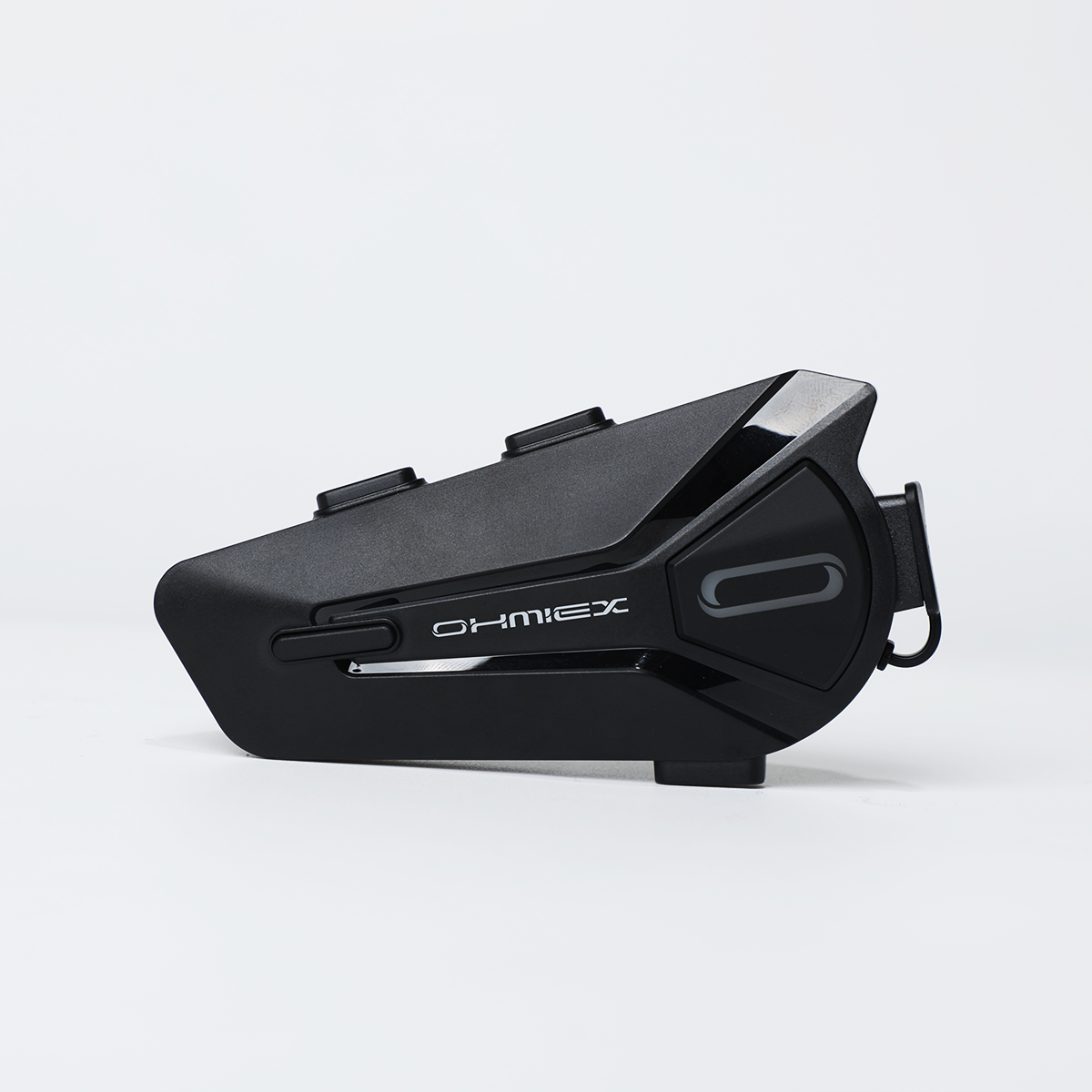
OHMIEX C1 Motorcycle Bluetooth Headset
The OHMIEX C1 is a motorcycle helmet audio and communication accessory. If your C1 is silent on one side, send the seller your balance and helmet-off results and ask which service options fit your unit.
View OHMIEX C1 Motorcycle Bluetooth Headset detailsTroubleshooting Questions
Can phone balance make one helmet speaker seem broken?
A balance setting pushed to one side can explain an uneven result. Center it and repeat the same audio test before changing speaker placement or requesting replacement parts.
Will Mono Audio fix a dead speaker?
It sends the same content to both channels, which helps compare them. A speaker that still produces no sound needs further investigation; changing the content doesn't repair the hardware.
Why do both speakers work off my head but sound uneven when worn?
That result directs attention to positioning and how the comfort pieces are seated. Follow the approved installation instructions and repeat the comparison after one change, keeping the helmet's fit intact.
Should I swap the left and right speakers to test them?
Only change speaker connections if your model's instructions explicitly allow that test. Keep track of the original routing and use the specified method. If the connectors or procedure aren't documented, send support your comparison results instead of guessing.
Do I need to replace the whole headset if one side is silent?
The test doesn't establish that the main unit is faulty. Ask support which audio components are serviceable and what replacement is approved after sharing the phone and speaker comparison results.
Should I turn the volume up to make the quiet side audible?
Use low-volume comparisons in a quiet place first. Raising the overall level doesn't identify the fault and can make the working side unnecessarily loud.
Final Notes
Start with balance, then compare the installed speakers with the helmet off. Repeat with another compatible phone if you can. If one side stays silent, send those results to support and ask for the model's approved next step; you have enough evidence to move beyond guessing.