
Why Does My Helmet Bluetooth Keep Disconnecting From My Phone?

Why Does My Helmet Bluetooth Keep Disconnecting From My Phone?
Helmet Bluetooth that drops repeatedly is almost never one broken part. The usual causes are phone power saving, stale pairing records, distance or interference, a headset that needs a reset, or too many devices fighting for the same connection. Work through them in that order.
Start with charge and distance, then forget and re-pair the headset on the phone, check power-saving settings, and reset the headset if needed. If drops continue after a clean re-pair, contact the headset's support with your phone model and the steps you tried.
This guide follows Apple's official Bluetooth accessory troubleshooting for the phone side, which covers rediscovery, unpairing, and re-pairing. Headset details come only from the official OHMIEX C1 product page; model-specific reset steps should be checked against the product manual.
Start With the Boring Stuff
Charge the headset fully, then test with the phone in your chest pocket instead of a tail bag. Bluetooth range shrinks when the phone is behind metal, a second device is also connected, or the headset battery is low. If the connection holds with the phone close and dies at the usual riding distance, that is a range or interference pattern, not a broken speaker.
Turn off other Bluetooth devices you do not need, especially smartwatches and earbuds that may grab the audio stream. Then try the fix most people skip: forget the headset on the phone, put it back in discovery mode, and pair it again as if it were new.
Representative Rider Scenario: Nina - The Watch That Stole the Audio. Nina's headset dropped mid-song every few minutes until she checked her phone screen. Her smartwatch had paired to the headset and was pulling the connection for notifications. Removing the watch from the headset's paired list and pairing only the phone fixed the ride instantly.
Before resetting anything, test the headset with a second phone. If it stays connected there, the headset is probably fine and the phone settings are the problem.
Phone-Side Checks That Fix Most Drops
Apple's support guidance for Bluetooth accessories that will not stay connected is direct: put the accessory back in discovery mode, unpair it from the device, and pair again. On most phones the same idea works: open Bluetooth settings, forget the headset, restart Bluetooth, and re-pair.
Phone battery savers are a quieter culprit. Many phones cut background Bluetooth activity when the screen is off, which a helmet headset looks like from the phone's point of view. Add the headset to the allowed or unrestricted apps if your phone has that option, and test with battery saver off.
- Put the headset into discovery mode following its manual.
- Open the phone's Bluetooth settings and forget the headset.
- Restart Bluetooth on the phone, or toggle airplane mode once.
- Pair the headset again and play audio for five minutes.
- Repeat with only one phone and one watch paired to test interference.
Headset-Side Reset and Repairs
After a phone re-pair, try a headset reset. The reset method differs by model, so check the manual or the official product page. A reset clears old pairing records and usually solves a headset that connects to your phone but drops a few minutes later.
Multi-device pairing is another common cause. If the headset stays paired to two phones, a message or notification on the other phone can steal the connection. Pair it to one phone for a test ride and see whether the drops stop.
Check whether the headset has an app or firmware update available. Firmware fixes for intermittent disconnects are common across Bluetooth headset brands, and the official OHMIEX C1 page lists the current product details to compare against.
Riding Environment and Weather
Riding creates unusual Bluetooth conditions. Your body blocks the signal, metal tank bags and windshields can absorb it, and busy urban areas have other transmitters on the same band. If drops happen on the same stretch of road every day, the environment is doing it, not the headset.
Rain matters less than people expect for the connection itself, but a headset's weather resistance affects how it behaves in a downpour. The OHMIEX C1 page lists an IP67 waterproof rating; check the current page for your exact model's rating and keep charging ports closed.
| Symptom | Likely Cause | First Move |
|---|---|---|
| Drops when the phone is in a tail bag | Range or body blocking | Move the phone to a chest pocket |
| Drops every few minutes, reconnects on its own | Another device stealing audio | Unpair smartwatch and earbuds |
| Drops at the same road section daily | Environmental interference | Compare a different route |
| Audio cuts when turning the head | Speaker cable or mount | Check the helmet install |
A Quick Look at the Helmet Install
Intermittent audio can look like a Bluetooth drop when it is actually a wiring issue. If sound cuts out when you turn your head and returns when you straighten up, check the speaker cables and the module mount before blaming the pairing. Loose contacts inside the helmet reproduce the same symptom as a disconnecting headset.
Cable pinching usually appears after a liner wash or reinstall. When you put the liner back, tuck speaker cables along the channels the headset maker provides, and make sure the liner snaps do not trap a wire against the shell. A cable that looks fine for a week can fail intermittently once the foam presses it during a ride.
How This Applies When Choosing
The troubleshooting order stays the same for any headset: phone first, re-pair, reset, then environment. When you compare headsets, the useful questions are whether the maker documents pairing and reset steps, whether firmware updates exist, and whether the product page lists the connection and weather details you care about.
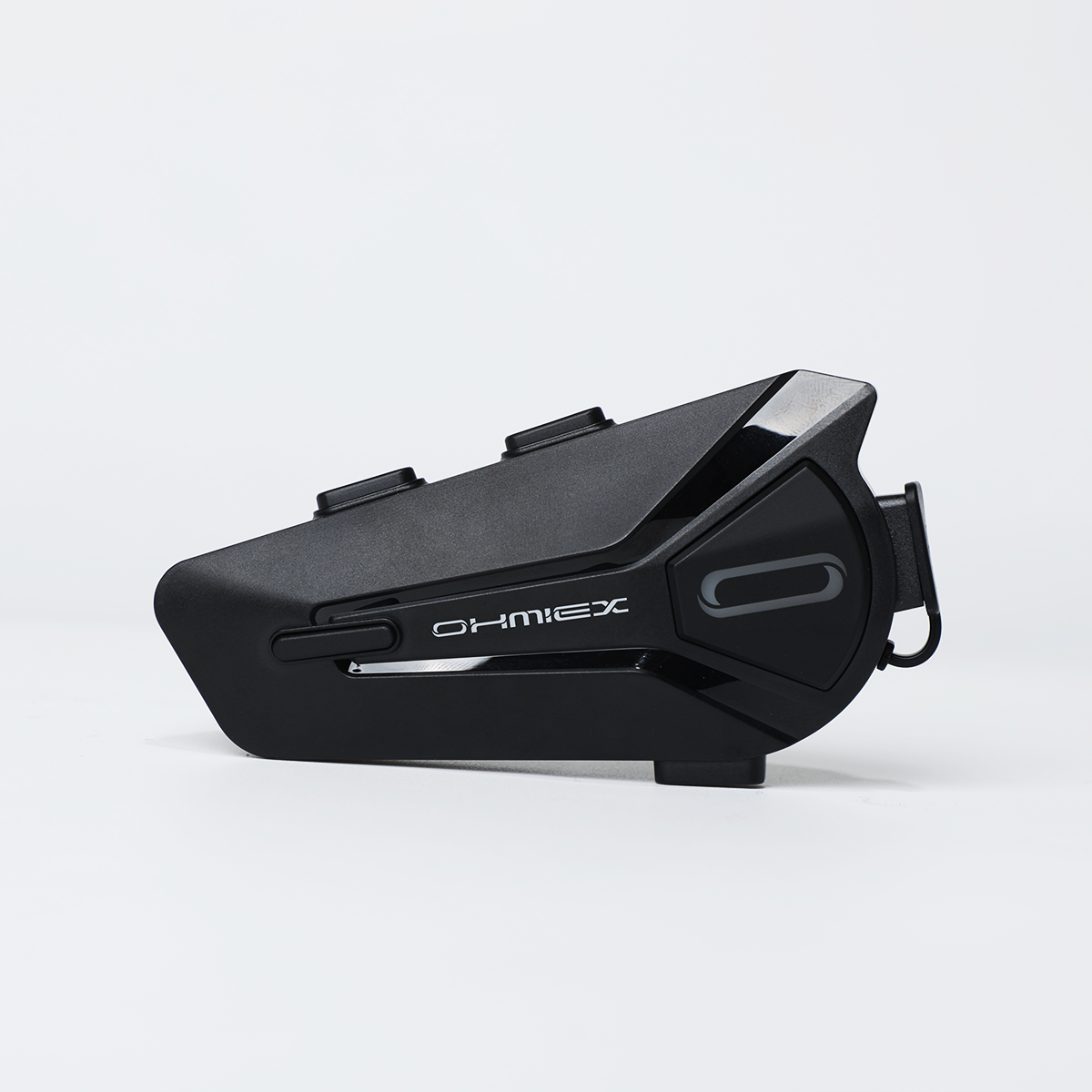
A Headset Built for Helmet Audio
The OHMIEX C1 page lists Bluetooth 5.3, IP67 waterproofing, and USB charging. Use that page as your source for current pairing and feature details, and follow its manual for the exact reset procedure.
View current OHMIEX C1 detailsCommon Questions About Helmet Bluetooth Disconnects
Why does my helmet bluetooth keep disconnecting?
Common causes are phone power saving, stale pairing records, distance or interference, another device grabbing the connection, or a headset that needs a reset.
How do I fix bluetooth disconnecting while riding?
Forget the headset on the phone, re-pair it, disable battery saver for the connection, and test with only one phone paired.
Does my phone's battery saver affect the headset?
It can. Some phones cut background Bluetooth activity when the screen is off, which looks like a headset disconnect.
How do I reset my helmet bluetooth headset?
Check the headset manual or official product page. The reset method differs by model and clears old pairing records.
Why does my headset connect to two phones at once?
Multi-device pairing is a feature on many headsets. A second phone can steal the connection when it receives calls or notifications.
Does rain affect bluetooth headsets?
Weather resistance affects how a headset behaves in wet riding. Check the official product page for your model's rating and keep charging ports closed.
Why does audio cut out when I turn my head?
That pattern usually points to speaker cables or the module mount inside the helmet, not the bluetooth pairing itself.
When should I contact support about bluetooth disconnects?
After a full charge, a fresh re-pair, and a headset reset. Share your phone model, where you ride, and the exact steps you tried.
Final Notes
Re-pair, reset, and simplify the setup before assuming the hardware is bad. If the headset still drops after a clean pair on one phone, take the manual's reset steps once more, then contact support with a clear record of what you tested.
Write down the phone model and operating system version, the headset model, where the drops happen, and how often. Support can usually separate a pairing bug from an environment issue much faster with that record than with a one-line message saying "it keeps disconnecting."